Schedule Telegram channel posts without staying online
Broadcast to your Telegram channel on a consistent schedule. Write your messages in Posthive, set a time, and let it publish — no OAuth, no complexity.
Native, not glued on.
Every Telegram feature Posthive supports is implemented against the native Telegram API — not workarounds, not browser automation.
- Text posts up to 4,096 chars
- Single image with caption
- Up to 10 images as media group
- Video posts with caption
- Public and private channels
- Per-account text override
Schedule Telegram from one composer.
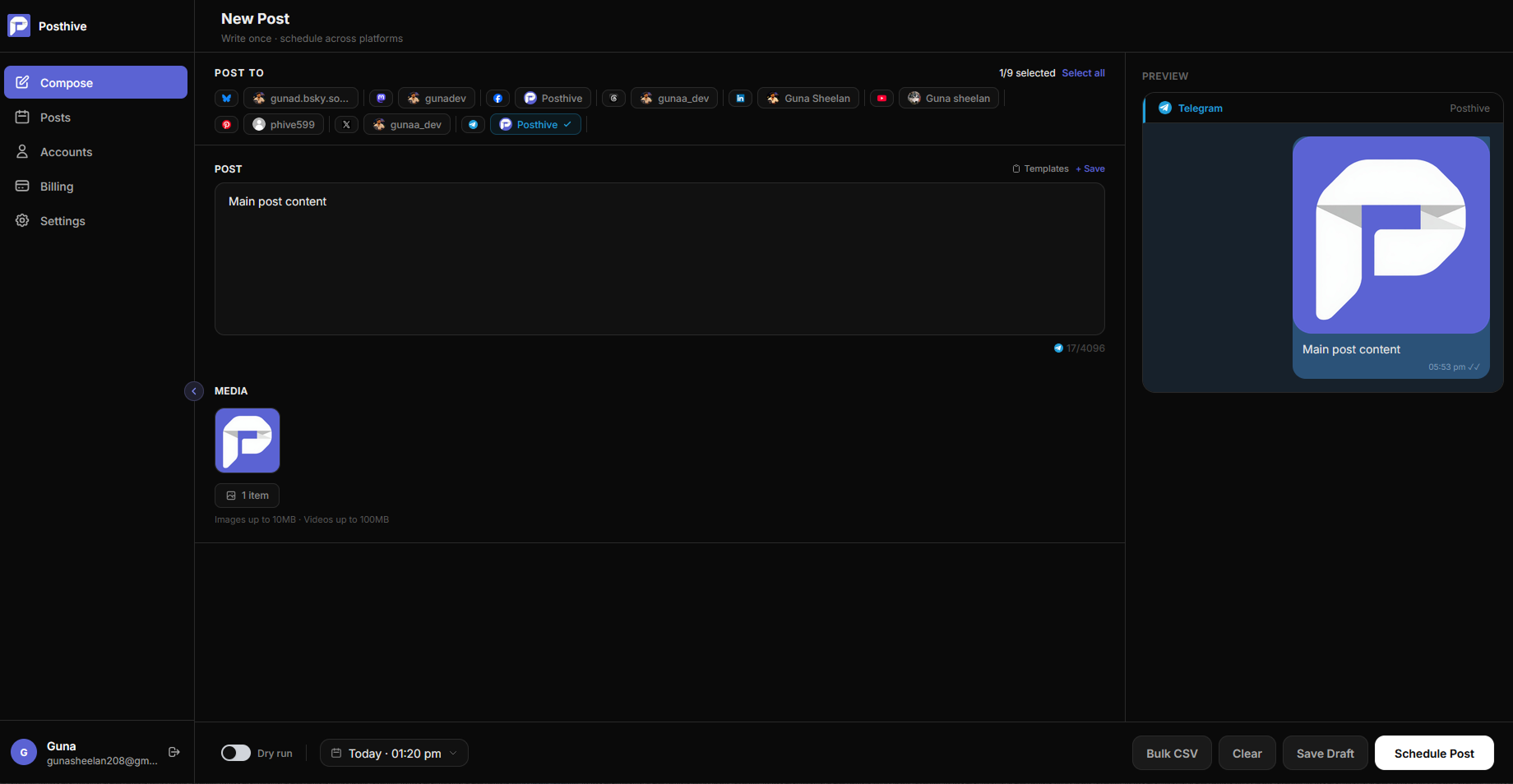
Fig. 01 — Posthive composer showing Telegram post preview
Connect once. Schedule forever.
Create a bot via @BotFather
Message @BotFather on Telegram, send /newbot, and follow the prompts. You get a bot token — copy it.
Add the bot to your channel
Open your channel → Administrators → Add Administrator → search your bot → enable Post Messages → Done.
Connect in Posthive and schedule
Paste the bot token and your channel username (or numeric ID for private channels) into Posthive. Start scheduling immediately.
Built for Telegram from day one.
No OAuth, no waiting, no approval process
Telegram scheduling via Posthive requires no Meta app review, no OAuth redirect, and no API key approval. Create a bot via @BotFather in two minutes, add it to your channel, and start scheduling immediately.
4,096 characters — more room than any other platform
Telegram channels are where people share long-form updates, deep dives, and newsletters. Posthive gives you the full 4,096 character limit with media support so nothing gets cut off.
Media groups — 10 images in one post
Send up to 10 images as a single media group post. Perfect for product showcases, step-by-step guides, or photo essays. Posthive handles the Telegram media group API automatically.
Frequently asked questions
Do I need a Telegram account to use this?+
Yes. You need a Telegram account to create a bot via @BotFather. The bot is what Posthive uses to post to your channel — no OAuth or Meta approval required.
Can I post to private Telegram channels?+
Yes. Private channels work with their numeric ID (e.g. -1001234567890) instead of a username. Posthive accepts both formats.
What media types does Posthive support on Telegram?+
Single images with captions, multi-image media groups (up to 10), and video posts with captions. Text-only posts are also supported up to 4,096 characters.
Can one bot post to multiple channels?+
Yes. A single Telegram bot can be added as an admin to multiple channels. In Posthive, connect each channel as a separate account using the same bot token with different channel usernames.
Telegram is one of thirteen platforms.
Posthive also posts to Bluesky, Threads, Instagram, LinkedIn, Mastodon, Pixelfed, YouTube, Facebook Pages, Pinterest, Telegram, Nostr, Discord, and Tumblr — all from the same composer.
 Instagram
 Nostr
NostrStart scheduling for free.
14-day free trial. No credit card required. Connect your Telegram account in under a minute and schedule your first post today.