The first comment, posted automatically.
Drop your hashtags, a key link, or a follow-up thought in the first comment - posted automatically the moment your main content goes live.
The grind of cross-posting, gone.
Hashtags without the clutter
On Instagram and Threads, putting hashtags in a comment keeps your caption clean while still getting the reach benefit. Posthive handles this automatically.
Add context without editing the post
Drop a link, a thread continuation, or a call-to-action in the first comment instead of cramming it into the caption.
Timing is everything
The first comment needs to go live right when the post does - before anyone else comments. Posthive publishes both in the same pipeline, seconds apart.
The feature, in the app.
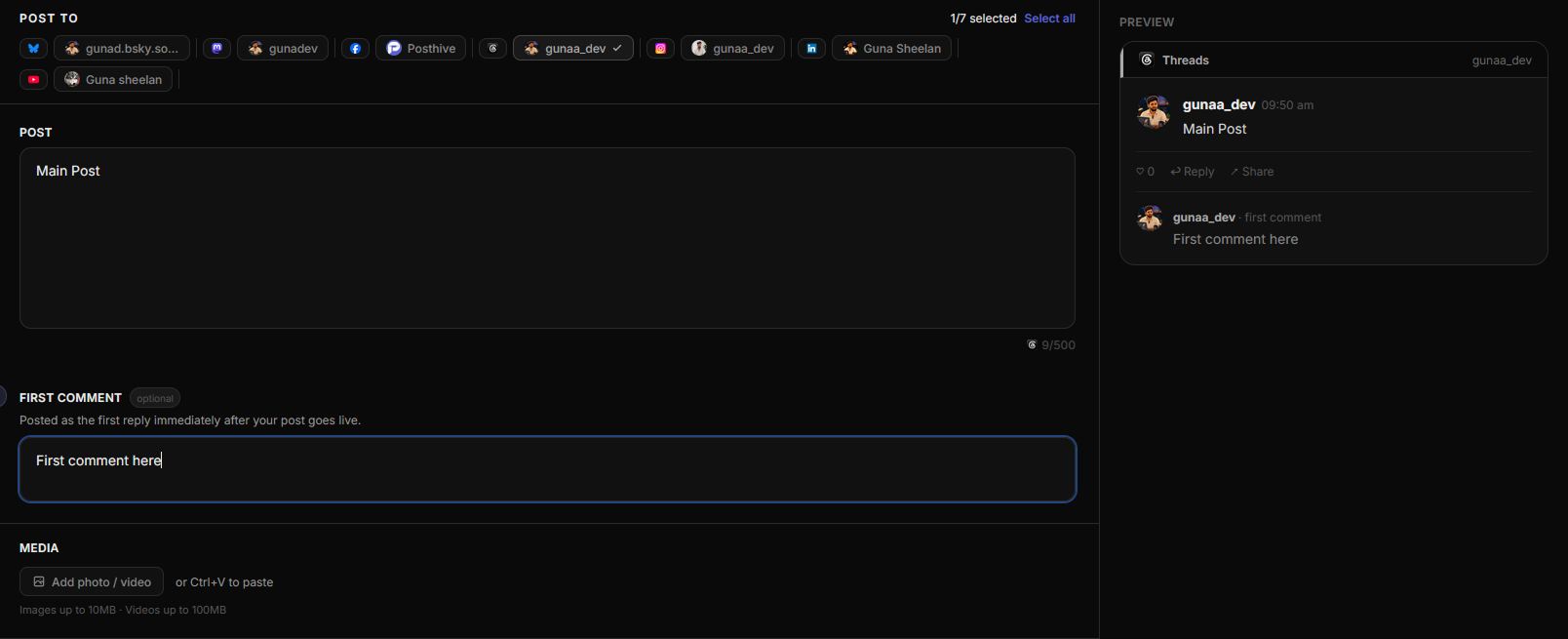
Fig. 01 — Posthive composer first comment field
Three steps.
No manuals.
- 01
Write your first comment
In the Compose page, expand the First Comment section and write your comment: hashtags, links, follow-up copy, whatever you need.
- 02
Schedule as normal
Set your publish time. The comment is queued together with the main post.
- 03
Auto-published on the dot
When the job runs, Posthive posts your content first, then immediately posts the comment as a reply - per platform, per account.
Built for people shipping in public.
- ◆Instagram creators keeping captions clean while using hashtags
- ◆LinkedIn users adding a link in the first comment for more reach
- ◆Threads users starting a reply thread automatically
- ◆Bluesky users adding context or a CTA below the main post
“I was copy-pasting the same post into five different apps every day. Every tool I tried was too expensive, too bloated, or didn't support the platforms I actually used. So I built Posthive.”

Frequently asked questions
Which platforms support first comment scheduling?+
First comment scheduling works on Instagram, Threads, LinkedIn, Bluesky, and Mastodon. Facebook first comment support is pending Meta app review.
How long after the main post does the first comment go live?+
The first comment is posted within a few seconds of the main post going live in the same job run, immediately after the post is confirmed published.
Can I put hashtags in the first comment to avoid cluttering my caption?+
Yes. This is one of the most popular use cases. Write your hashtags in the first comment field and Posthive posts them as the first reply, keeping your caption clean.
Can the first comment contain a link?+
Yes. You can put any text in the first comment, including URLs. This is especially useful on LinkedIn where posts with links in the caption get less reach.
First comment is one of eight features working together.
Start scheduling for free.
14-day free trial. No credit card required. Connect your first account in under a minute and schedule your first post today.