Schedule Discord announcements without staying online
Post to your Discord server channels on a consistent schedule. Write your message in Posthive, pick a time, and let it publish via webhook — no manual posting needed.
Native, not glued on.
Every Discord feature Posthive supports is implemented against the native Discord API — not workarounds, not browser automation.
- Text posts up to 2,000 chars
- Single image with message
- Up to 10 images in one post
- Video posts
- First comment as thread reply
- Per-account text override
Schedule Discord from one composer.
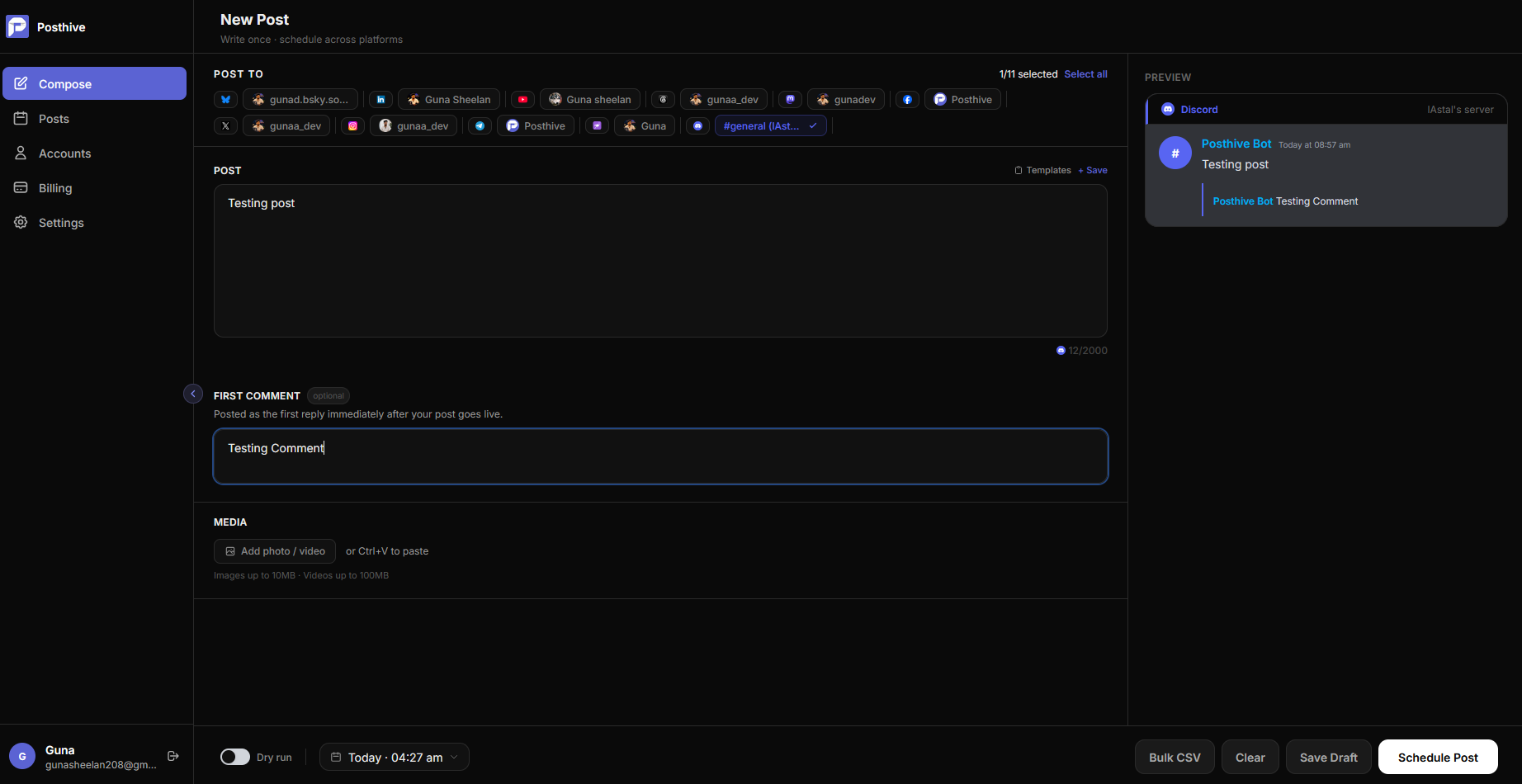
Fig. 01 — Posthive composer showing Discord post preview
Connect once. Schedule forever.
Create a Discord app and bot
Go to discord.com/developers, create a new application named Posthive, add a bot, and copy the bot token.
Add env vars and connect
Add DISCORD_CLIENT_ID, DISCORD_CLIENT_SECRET, DISCORD_BOT_TOKEN, and DISCORD_REDIRECT_URI to your .env. Then click Connect Discord on the Accounts page.
Authorise and pick a channel
Discord's OAuth page lets you choose which server to add the bot to. Back in Posthive, pick the channel to post to. A webhook is created automatically.
Built for Discord from day one.
Keep your community updated without manual effort
Product updates, blog posts, weekly digests — schedule them ahead of time and let Posthive post to your Discord server at the right moment. No need to be online.
Webhook-based posting for clean messages
Posthive auto-creates a channel webhook when you connect. Messages post under the Posthive name without a heavy bot badge, keeping your announcement channel looking clean.
Images and video in every post
Attach up to 10 images or a video to your Discord post. Posthive uploads them directly to the channel so they render inline — no external links needed.
Frequently asked questions
Do I need a Discord bot to use Posthive with Discord?+
Yes. You create a free Discord application and bot at discord.com/developers. The bot token goes in your Posthive .env file. The OAuth flow then lets users add the bot to their server and pick a channel.
Why does the post show an APP label in Discord?+
Discord shows an APP label on all programmatic posts — whether via bot or webhook. This is a Discord platform-level requirement that cannot be removed. All Discord scheduling tools work the same way.
Can I post to multiple Discord channels?+
Yes. Each channel you connect in Posthive becomes a separate account. You can select multiple channels in the compose window and post to all of them at once.
What happens if webhook creation fails?+
Posthive automatically falls back to direct bot token posting so your post still goes through. The webhook is a best-effort optimisation, not a hard requirement.
Discord is one of thirteen platforms.
Posthive also posts to Bluesky, Threads, Instagram, LinkedIn, Mastodon, Pixelfed, YouTube, Facebook Pages, Pinterest, Telegram, Nostr, Discord, and Tumblr — all from the same composer.
 Instagram
 Nostr
NostrStart scheduling for free.
14-day free trial. No credit card required. Connect your Discord account in under a minute and schedule your first post today.