Your content calendar, actually visual.
See all your scheduled posts on a calendar. Drag to move them. Click to edit. No spreadsheets, no mental math. Just a clear picture of what's going live and when.
The grind of cross-posting, gone.
See gaps before they happen
A calendar makes it obvious when you have three posts in one day and nothing for the next five. Fix it before it becomes a problem.
Reschedule in one drag
Plans change. Drag a post to a new day and Posthive updates the schedule instantly. No forms, no dropdowns.
Filter by platform
Toggle which platforms are shown on the calendar. Focus on Instagram this week, LinkedIn next week.
The feature, in the app.
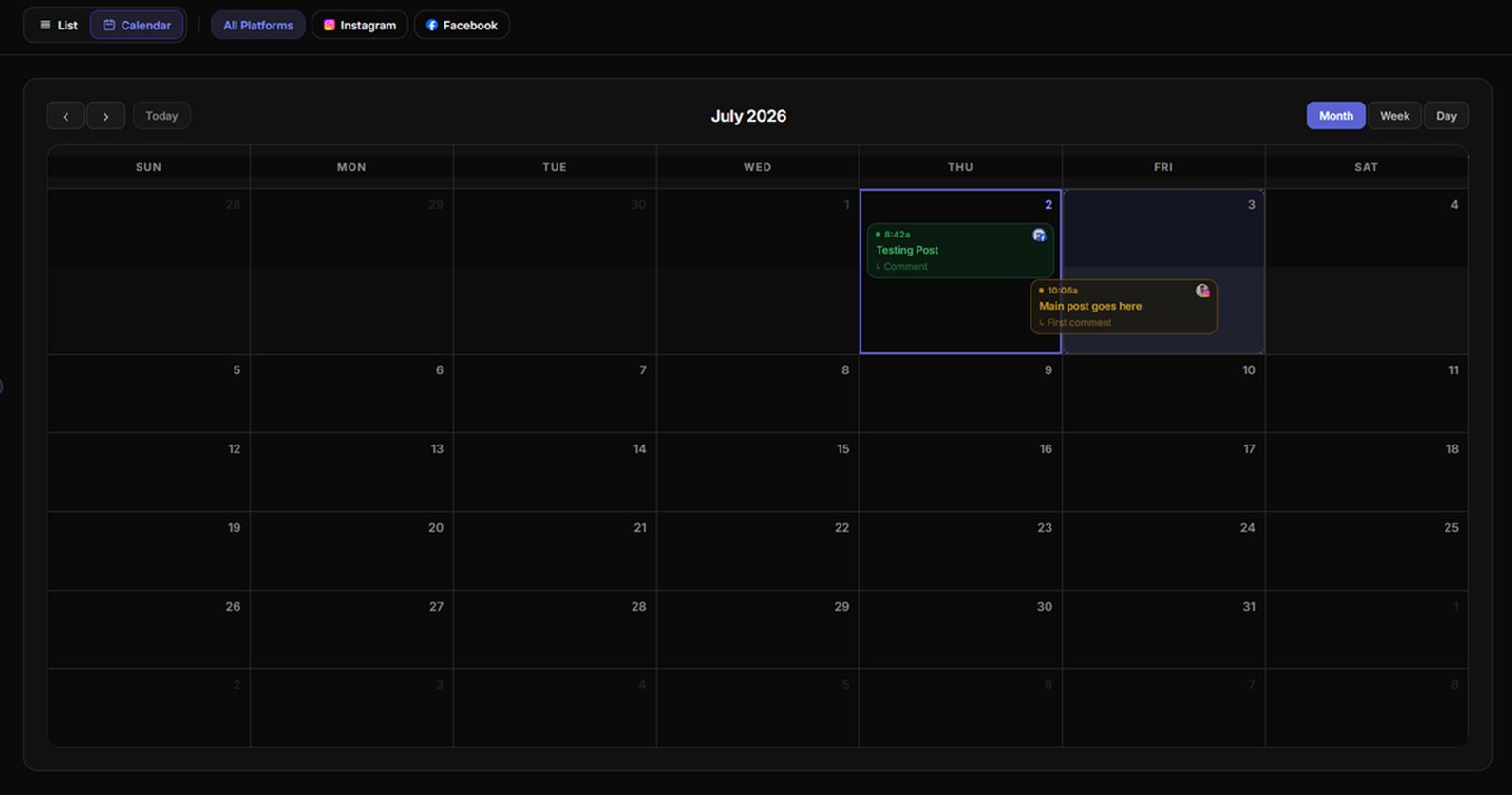
Fig. 01 — Posthive calendar view with drag-to-reschedule
Three steps.
No manuals.
- 01
Schedule your posts
Create posts in the Compose page and set publish times. They appear on the calendar immediately.
- 02
Open the calendar view
Switch to Calendar on the Posts page. See your month, week, or day at a glance.
- 03
Drag to reschedule
Grab any post and drop it on a new date. Posthive updates the queue in real time. The post publishes at the new time.
Built for people shipping in public.
- ◆Content planners mapping out a monthly content mix
- ◆Founders batching a week of posts and spreading them out visually
- ◆Social media managers handling multiple clients
- ◆Anyone who thinks visually about their publishing cadence
“I was copy-pasting the same post into five different apps every day. Every tool I tried was too expensive, too bloated, or didn't support the platforms I actually used. So I built Posthive.”

Frequently asked questions
Can I drag posts to reschedule them?+
Yes. The calendar view on the Posts page lets you drag any scheduled post to a new date and Posthive updates the publish time instantly.
What calendar views are available?+
Month, week, and day views are all available. Switch between them with a single click at the top of the calendar.
Can I filter the calendar by platform?+
Yes. Use the platform filter to show only posts going to specific accounts, so you can focus on one channel at a time.
Does the calendar sync in real time?+
Yes. Any change you make a new post, a reschedule, a deletion appears on the calendar immediately without a page refresh.
Drag-to-reschedule is one of eight features working together.
Start scheduling for free.
14-day free trial. No credit card required. Connect your first account in under a minute and schedule your first post today.