Schedule Bluesky posts without the tab-switching
Stay consistent on the open social web. Write your Bluesky posts in Posthive, set a time, and let it publish while you focus on everything else.
Native, not glued on.
Every Bluesky feature Posthive supports is implemented against the native Bluesky API — not workarounds, not browser automation.
- Text posts up to 300 chars
- Up to 4 images per post
- Automatic link preview cards
- First comment on publish
- Alt text on images
- Per-account text override
Schedule Bluesky from one composer.
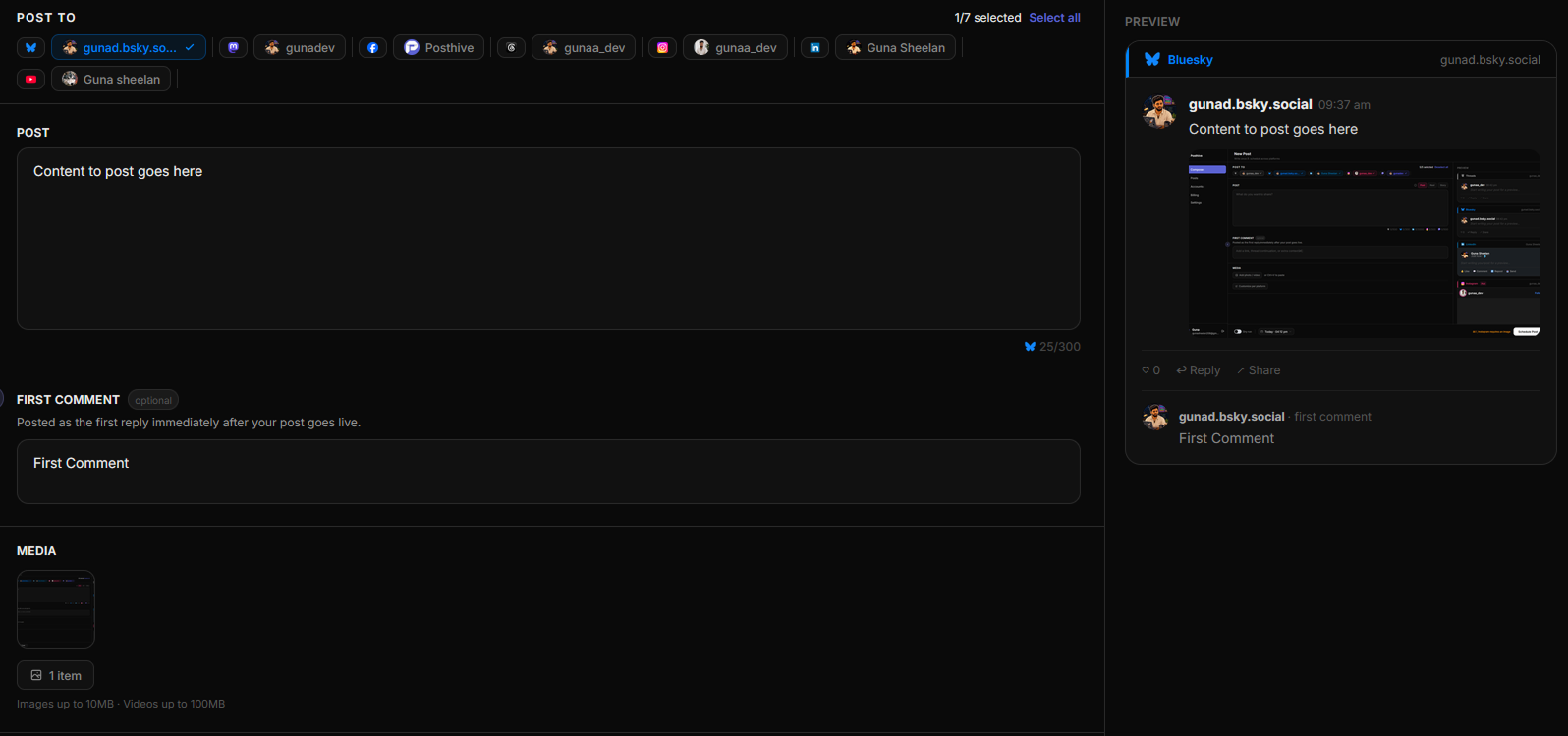
Fig. 01 — Posthive composer showing Bluesky post preview
Connect once. Schedule forever.
Connect with an app password
Generate an app password in Bluesky settings and paste it into Posthive. No OAuth redirect needed.
Write your post
Compose in Posthive's editor. The 300-character counter updates in real time so you never go over.
Pick a time and schedule
Choose your publish time. Posthive fires the post at the exact second, then auto-posts your first comment if you added one.
Built for Bluesky from day one.
Bluesky is growing fast — consistency wins
Bluesky crossed 30 million users and is still accelerating. The accounts that grow fastest are the ones that show up every day. Posthive makes that effortless — batch a week of content in one session, schedule it, and let it run.
No other scheduler does Bluesky this well
Buffer and Hootsuite still don't support Bluesky. Posthive was built for the new social web from day one — AT Protocol, app passwords, link cards, and first comment are all handled natively.
First comment automation is a Bluesky superpower
Schedule a reply to your own post that fires the moment it goes live. Use it for a link you couldn't fit in 300 chars, a thread continuation, or a CTA. No other tool does this on Bluesky.
Frequently asked questions
Does Posthive support Bluesky threads?+
Posthive supports first comment automation on Bluesky — you can schedule a reply that posts immediately after your main post. Full thread scheduling (multiple replies in sequence) is on the roadmap.
Do I need to share my Bluesky password?+
No. You generate an app password inside Bluesky settings (Settings → Privacy and Security → App Passwords). This is a separate, revocable credential — your main password is never shared.
What happens if my post fails to publish?+
Posthive retries automatically. If the post still fails, the job is marked as failed and you get a visible error in your Posts dashboard so you can re-schedule.
Can I schedule images on Bluesky?+
Yes up to 4 images per post. You can also add alt text to each image directly in the Posthive composer.
Bluesky is one of thirteen platforms.
Posthive also posts to Bluesky, Threads, Instagram, LinkedIn, Mastodon, Pixelfed, YouTube, Facebook Pages, Pinterest, Telegram, Nostr, Discord, and Tumblr — all from the same composer.
 Instagram
 Nostr
NostrStart scheduling for free.
14-day free trial. No credit card required. Connect your Bluesky account in under a minute and schedule your first post today.