Schedule Pinterest Pins without losing momentum
Pinterest rewards consistency. Write your Pin descriptions in Posthive, attach your image, set a time, and let it publish — so your boards stay active without you staying online.
Native, not glued on.
Every Pinterest feature Posthive supports is implemented against the native Pinterest API — not workarounds, not browser automation.
- Pin with image (required)
- Title and description text
- Destination link URL
- Board selection per account
- Per-account text override
- Calendar drag-to-reschedule
Schedule Pinterest from one composer.
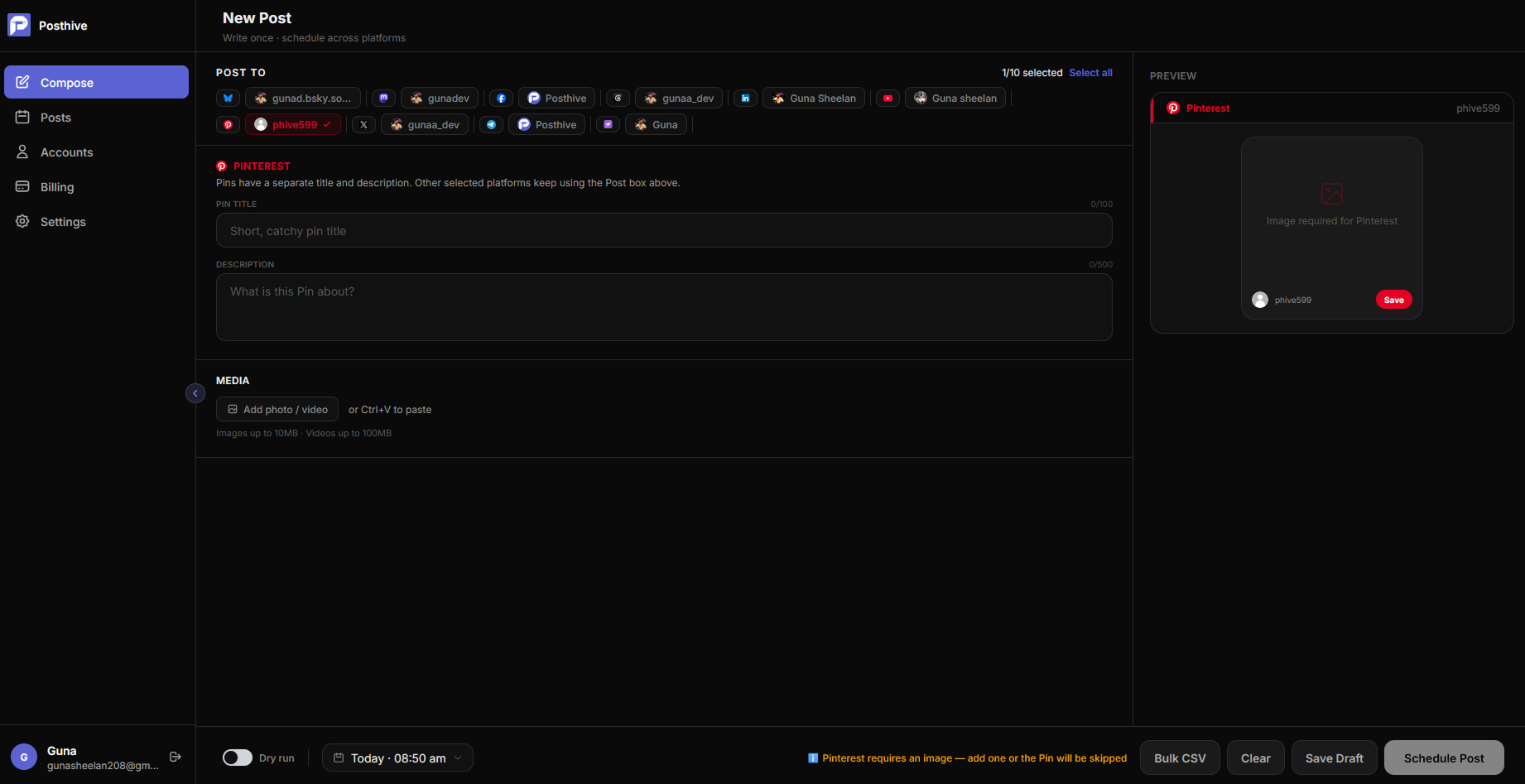
Fig. 01 — Posthive composer showing Pinterest post preview
Connect once. Schedule forever.
Connect with Pinterest OAuth
Click Connect Pinterest in Posthive's Accounts page. Approve the OAuth prompt and your Pinterest account is linked with publish access.
Compose your Pin
Write your Pin title and description, attach an image, and add a destination URL. Select the board you want to post to.
Schedule and publish
Pick your publish time. Posthive creates the Pin via the Pinterest API v5 at the exact moment you chose.
Built for Pinterest from day one.
Pinterest rewards volume — scheduling makes it sustainable
Pinterest's algorithm favours accounts that Pin consistently over time. Most creators burn out trying to post daily manually. Posthive lets you batch 30 Pins in one session and drip them out over a month automatically.
Every Pin is a link back to your site
Unlike other platforms, Pinterest Pins have a destination URL built in. Every scheduled Pin is also a scheduled backlink. Posthive makes it easy to attach your URL to every post without extra steps.
Flat price, no per-seat nonsense
Pinterest schedulers like Tailwind charge per seat and lock features behind higher tiers. Posthive is a flat monthly price — Creator, Pro, or Team — with all platforms included on every plan.
Frequently asked questions
Does Pinterest scheduling require an image?+
Yes. Pinterest requires an image for every Pin — text-only posts are not supported by the Pinterest API. Attach an image in the Posthive composer before scheduling.
Which Pinterest boards can I post to?+
Posthive can post to any board on your connected Pinterest account. Select the target board in the compose screen before scheduling.
What is Pinterest sandbox mode?+
Pinterest sandbox mode lets you test the full scheduling flow — connecting your account, composing Pins, and triggering publish — without creating real Pins on your live boards. Useful for testing integrations.
How do I connect my Pinterest account?+
Click Connect Pinterest in the Accounts page. You're redirected to Pinterest's OAuth page where you approve Posthive's access. The token is encrypted and stored securely.
Pinterest is one of thirteen platforms.
Posthive also posts to Bluesky, Threads, Instagram, LinkedIn, Mastodon, Pixelfed, YouTube, Facebook Pages, Pinterest, Telegram, Nostr, Discord, and Tumblr — all from the same composer.
 Instagram
 Nostr
NostrStart scheduling for free.
14-day free trial. No credit card required. Connect your Pinterest account in under a minute and schedule your first post today.