Stay consistent on LinkedIn without logging in every day
LinkedIn rewards consistency. Posthive lets you batch your content in one session, spread it across the week, and grow your professional presence on autopilot.
Native, not glued on.
Every LinkedIn feature Posthive supports is implemented against the native LinkedIn API — not workarounds, not browser automation.
- Text posts up to 3,000 chars
- Single image and multi-image
- First comment on publish
- Per-account text override
- OAuth 2.0 secure connection
- Calendar drag-to-reschedule
Schedule LinkedIn from one composer.
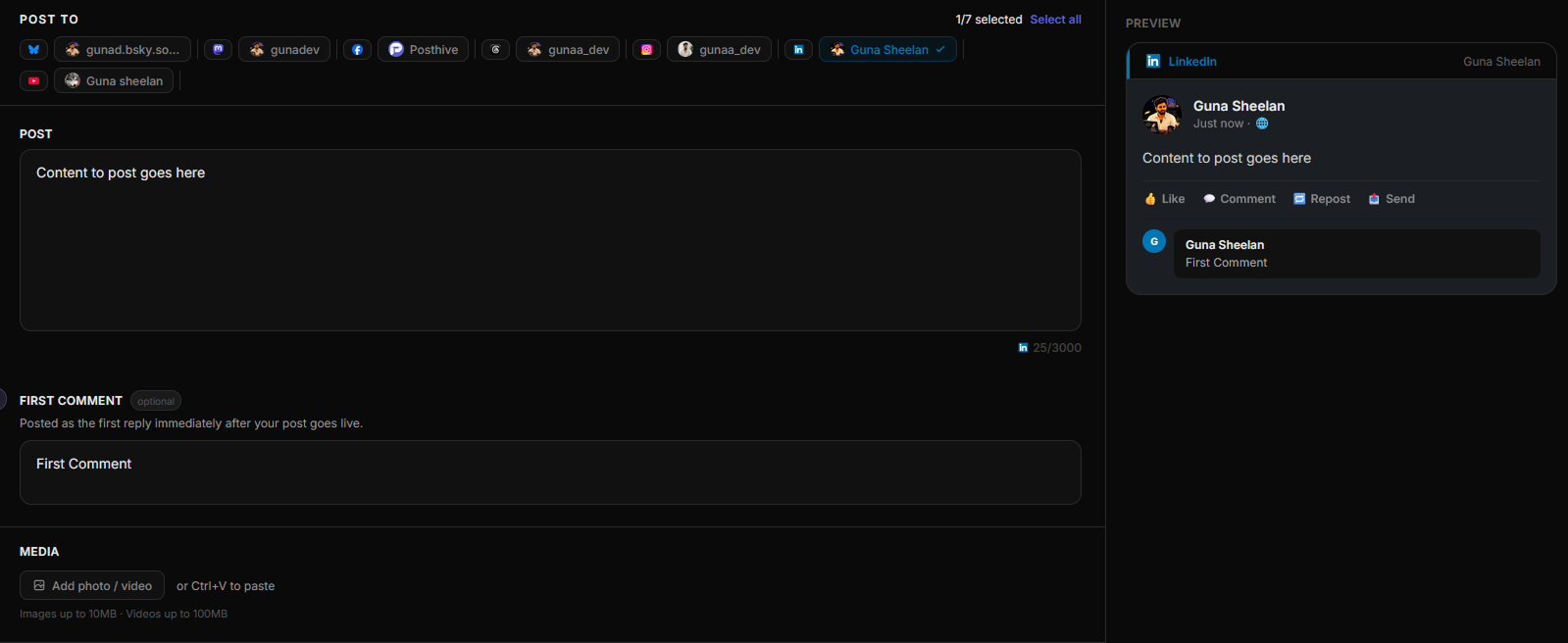
Fig. 01 — Posthive composer showing LinkedIn post preview
Connect once. Schedule forever.
Connect via LinkedIn OAuth
Click Connect LinkedIn. You're redirected to LinkedIn to approve access, and credentials are encrypted and stored securely.
Write your post
Compose your LinkedIn post long-form thoughts, announcements, or updates. Attach images if needed.
Schedule for peak hours
Pick a publish time that matches your audience. Posthive posts it and fires your first comment automatically.
Built for LinkedIn from day one.
LinkedIn reach is highest in the first hour
The LinkedIn algorithm judges a post's reach by its early engagement. If you're posting at 2am when nobody's online, you're wasting it. Posthive lets you schedule for 8am Tuesday when your audience is actually active.
First comment is a LinkedIn growth hack
LinkedIn's algorithm counts comments heavily. Many creators post their main content, then immediately add a first comment with hashtags or a question to drive replies. Posthive automates this — the comment fires the second the post goes live.
3,000 characters — use them
LinkedIn posts that tell a full story consistently outperform short ones. Posthive's composer gives you the full 3,000 character limit with a live counter, so you can write thoughtful long-form content without being cut off.
Frequently asked questions
Can I schedule LinkedIn articles with Posthive?+
Posthive schedules LinkedIn posts (feed updates) via the UGC API. Full LinkedIn articles (long-form content) are not supported via the LinkedIn API at this time.
How does first comment work on LinkedIn?+
Write your first comment in the dedicated field in the Posthive composer. When your post goes live, Posthive immediately posts the comment as a reply from the same account.
Does Posthive support LinkedIn company pages?+
Posthive connects to LinkedIn personal profiles via OAuth. Company page scheduling requires LinkedIn's Marketing Developer Platform access, which is on the roadmap.
What happens to my LinkedIn token after 60 days?+
Posthive stores your LinkedIn OAuth token and refreshes it automatically before it expires. You won't get disconnected mid-campaign.
LinkedIn is one of thirteen platforms.
Posthive also posts to Bluesky, Threads, Instagram, LinkedIn, Mastodon, Pixelfed, YouTube, Facebook Pages, Pinterest, Telegram, Nostr, Discord, and Tumblr — all from the same composer.
 Instagram
 Nostr
NostrStart scheduling for free.
14-day free trial. No credit card required. Connect your LinkedIn account in under a minute and schedule your first post today.